
Webhooks
Webhooks allow Media Manager to send information to your own application or service when the state of a video changes.
Creating Webhooks
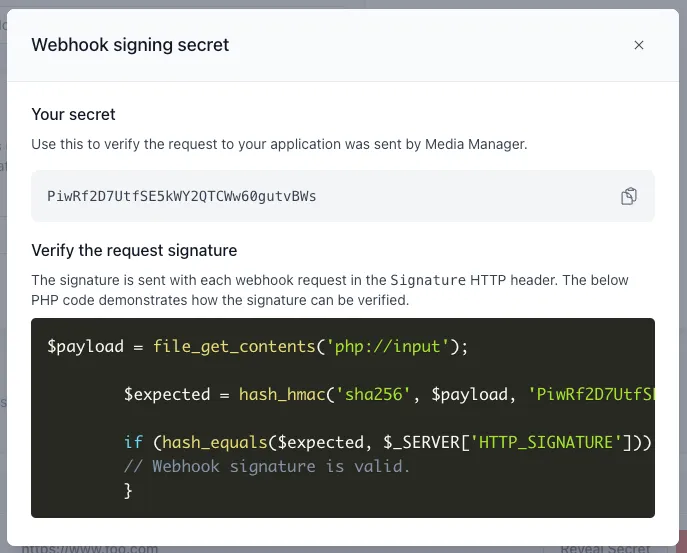
Section titled “Creating Webhooks”You can specify a URL to call from your team settings page. Once a webhook has been added you can reveal the webhook secret that we have generated for you. We will sign every request with this secret allowing you to check the request is valid and comes from us.
The endpoint should return a 2xx response status to be considered successful. Media Manager will try sending the same call 2 more times before stopping if no success status was returned. A webhook will result in a failure if the server does not respond within 3 seconds.
Verifying webhooks
Section titled “Verifying webhooks”To ensure that the webhook data is genuine, it is recommended to verify the request by checking the signature generated by Media Manager and sent as a HTTP header in each webform request.
Logic to do this is provided as PHP code in the “Reveal Secret” pop-up:
Disabling Webhooks
Section titled “Disabling Webhooks”To temporarily enable or disable a webhook, simply toggle the enabled switch.
Deleting Webhooks
Section titled “Deleting Webhooks”An option to delete each webhook is available in the webhooks list:

Webhook events
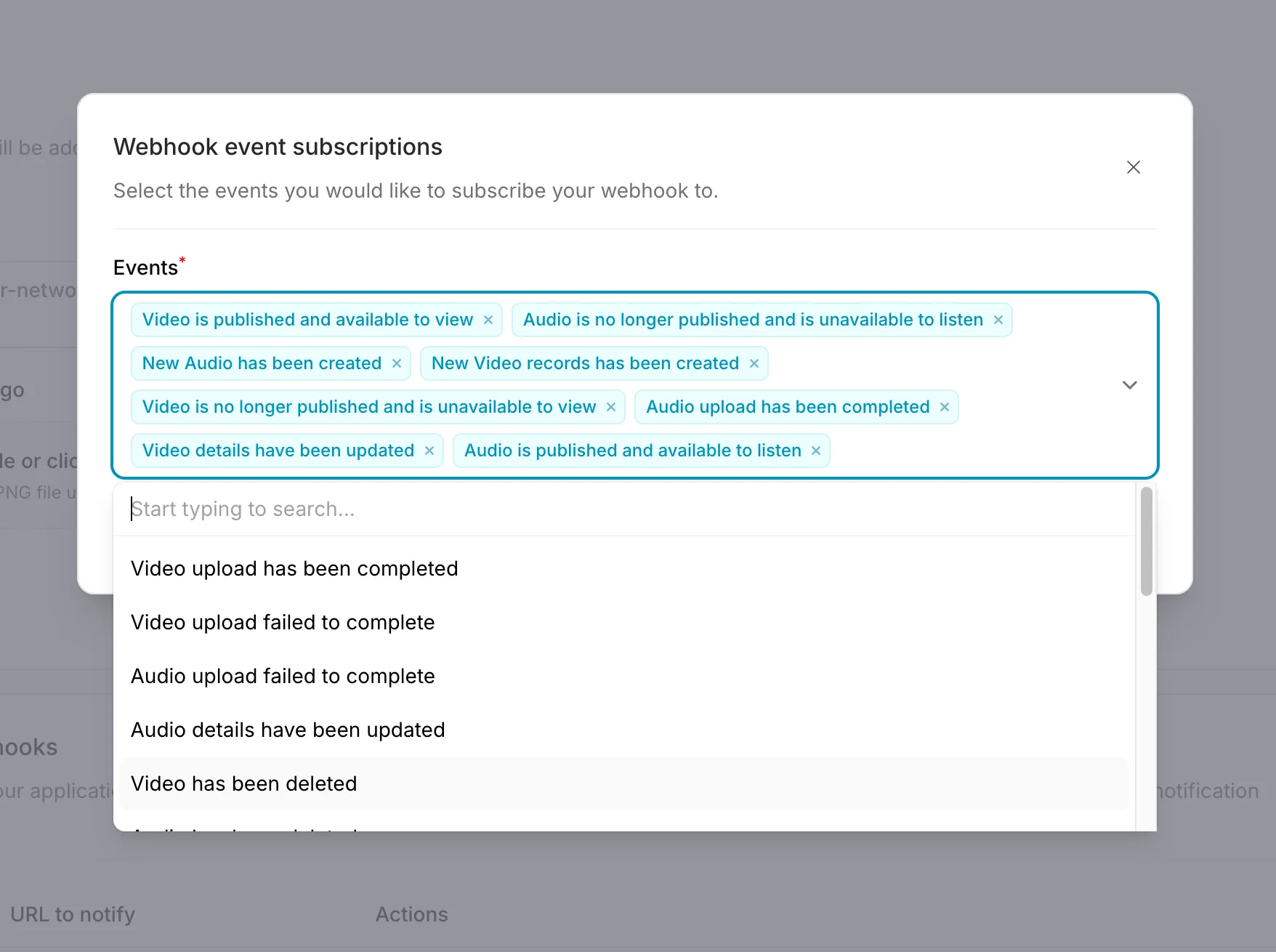
Section titled “Webhook events”Webhook events can be configured using the Manage events option. Select the events from the dropdown for which you want to receive webhook requests.
Media events
Section titled “Media events”video.created,audio.createdmedia has been uploaded.video.upload.completed,audio.upload.completedmedia has finished processing and is ready to publish.video.upload.failed,audio.upload.failedan error occurred during processing.video.published,audio.publishedmedia has been marked as published.video.unpublished,audio.unpublishedmedia has been marked as unpublished.video.updated,audio.updateddata associated with your media has been changed.video.deleted,audio.deletedmedia has been deleted, and is due for removal in 14 days.video.restored,audio.restoredmedia has been taken out of deleted state.video.static_rendition.ready,audio.static_rendition.readya download for your media is now ready to use.video.master.ready,audio.master.readythe master asset for your media is ready to download.video.master.failed,audio.master.failedthe master asset for your media failed to generate.
Livestream events
Section titled “Livestream events”Livestream webhooks extend Media webhooks, when a livestream has been created the video.created or audio.created webhook will be called. The same applies for published, unpublished, updated and deleted events via the corresponding video and audio webhooks listed above.
livestream.enableda livestream has been marked as enabled, it can accept stream connectionslivestream.disableda livestream has been marked as disabled, it can no longer accept stream connectionslivestream.starteda livestream has been successfully received stream input and is actively broadcastinglivestream.idlea livestream has returned to idle state, this happens automatically 60 seconds after a stream has disconnected